
GBA4iOS
App Information
About This App
GBA4iOS Emulator iPA App
Want to Play your favorite Game Boy Advance and Game Boy Color games on your iOS iPhone or iPad device. Then Download GBA4iOS Emulator – A powerful Game Boy Advance emulator designed for iOS devices that allows you to play classic GBA, GBC, and GB games for free of cost that too without iOS Jailbreak.
What is GBA4iOS Emulator:
GBA4iOS Emulator is the most popular and best Game Boy Advance emulator for iOS devices created by Riley Testut popular iOS App developer and he introduced it as a free sourced Application.
This Advanced emulator supports almost all Game Boy Advance, Game Boy Color, and original Game Boy games on single App and allows users to play thousands of classic console games directly on their iPhone, iPad, and iPod touch devices.
GBA4iOS uses the advanced emulation technology that helps to add rich graphics and smooth emulation on iOS devices. Also, it doesn’t require BIOs files for game emulation, instead it requires Players need to Add their favorite Game image files to the Emulator App. Also works perfectly on iOS 7 to iOS 16 running devices and supports A4 to A15 chip-based devices such as iPhone 13, iPhone 12, iPhone 11, iPhone X, iPhone 8, and iPad Pro devices.
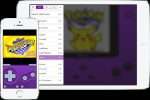
Once you have installed the GBA4iOS emulator on your device, you can use its built-in browser to download popular games like Pokemon Fire Red, Pokemon Emerald, Super Mario Advance, The Legend of Zelda, Final Fantasy, and thousands of other classic game ROM files directly to the GBA Emulator App.
Compared to other Emulator Apps, this emulator comes with advanced features like save states, fast forward, external controller support, and Dropbox sync to enhance your gaming experience.
GBA4iOS 2.1 Key Core Features:
-
No Jailbreak Required – Install directly on stock iOS devices without compromising warranty or security
-
Dropbox Cloud Sync – Automatic game save backups across multiple devices with version history.
-
Save States – Create unlimited save points anywhere in games, beyond traditional in-game saves.
-
Cheat Code Support – Game Genie and Action Replay compatibility for enhanced gameplay.
-
Customizable Controller Skins – Personalize button layouts, transparency, and positioning for optimal touch controls.
-
Fast Forward Mode – Skip repetitive game sequences and grinding sections.
-
iOS Controller Support – Full compatibility with MFi controllers and iOS 7+ gamepad standards.
-
Multi-Console Support – Play GBA, GBC, and GB games from one unified emulator.
-
Event Distribution – Access special Nintendo events and exclusive content.
-
Wario Ware Twisted Support – Gyroscope integration for motion-controlled games.
GBA4iOS Emulator iPA App Features:
- A powerful Game Boy Advance emulator for iOS devices.
- It supports Classic Game Boy Advance, Game Boy Color, and Game Boy game consuls in single App.
- Works on iOS 7 to iOS 16 running devices.
- External controller support for better gaming experience.
- Save states feature allows you to save and load games at any point.
- Fast forward feature to speed up gameplay.
- Dropbox sync support for backing up save files.
- User Friendly interface with customizable controls.
- Easy to Download and Use.
- Completely available for free.
- Very Stable and works perfectly.
- Several methods are available for installation.
How to Install GBA4iOS GBA Emulator iPA on iPhone, iPad
Step.1) At first, tap on the GBA4iOS Emulator App icon or tap on Game Boy Advance Emulator Download to get the emulator app on your iOS device.
Step.2) On the next screen, click on the Open option from that iTunes pop-up message box.
Step.3) Now tap on the install option from the installation pop-up window.
Step.4) After that, go back to the home screen and try to open the app.
Step.5) Now you will see a message like “Trust Riley Testut developer certificate” You can do that from below simple steps below.
Go to Settings >>> Navigate to General >>> Profile & Device Management >>> Find the Riley Testut >>> tap on TRUST from the pop-up message.
Step.6) Finally, launch the GBA emulator app and play your childhood games on iPhone or iPad for free.
For More Emulators, Visit iPA Apps
GBA4iOS iPA Download
| Type | Size | Action |
|---|---|---|
| iPA | 10.9 MB |